




The Sons of the Forest console lets PC players use commands to change gameplay, spawn items, improve movement and activate useful cheats. To open it, load into your game, type cheatstick and press F1. The word may not appear on screen while you type, so do not assume the command has failed. Once the console opens, you can enter supported commands and press Enter to run them. This guide explains how to activate the Sons of the Forest console, which commands are worth trying, how to troubleshoot common problems and what players should know before using cheats.
What Is the Sons of the Forest Console?
Sons of the Forest is a survival horror game in which players explore a dangerous island, collect resources, build shelters and defend themselves against hostile creatures. The built-in debug console gives PC players another way to interact with the game.
Instead of gathering every resource manually, you can use certain commands to change your character’s abilities or add items to your inventory. Other commands can affect movement, enemies and the environment. These options can make experimentation easier, particularly when you want to test building ideas or explore without the usual survival challenges.
However, the console is not a standard settings menu. It is a developer-oriented feature, and some commands may behave differently depending on the game version or the situation. A command that works in one environment might not produce the same result in another.
It is also important to distinguish the in-game debug console from a PlayStation or Xbox console. The instructions in this guide concern the PC game’s command system, not a console edition of Sons of the Forest.
How to Open the Sons of the Forest Console
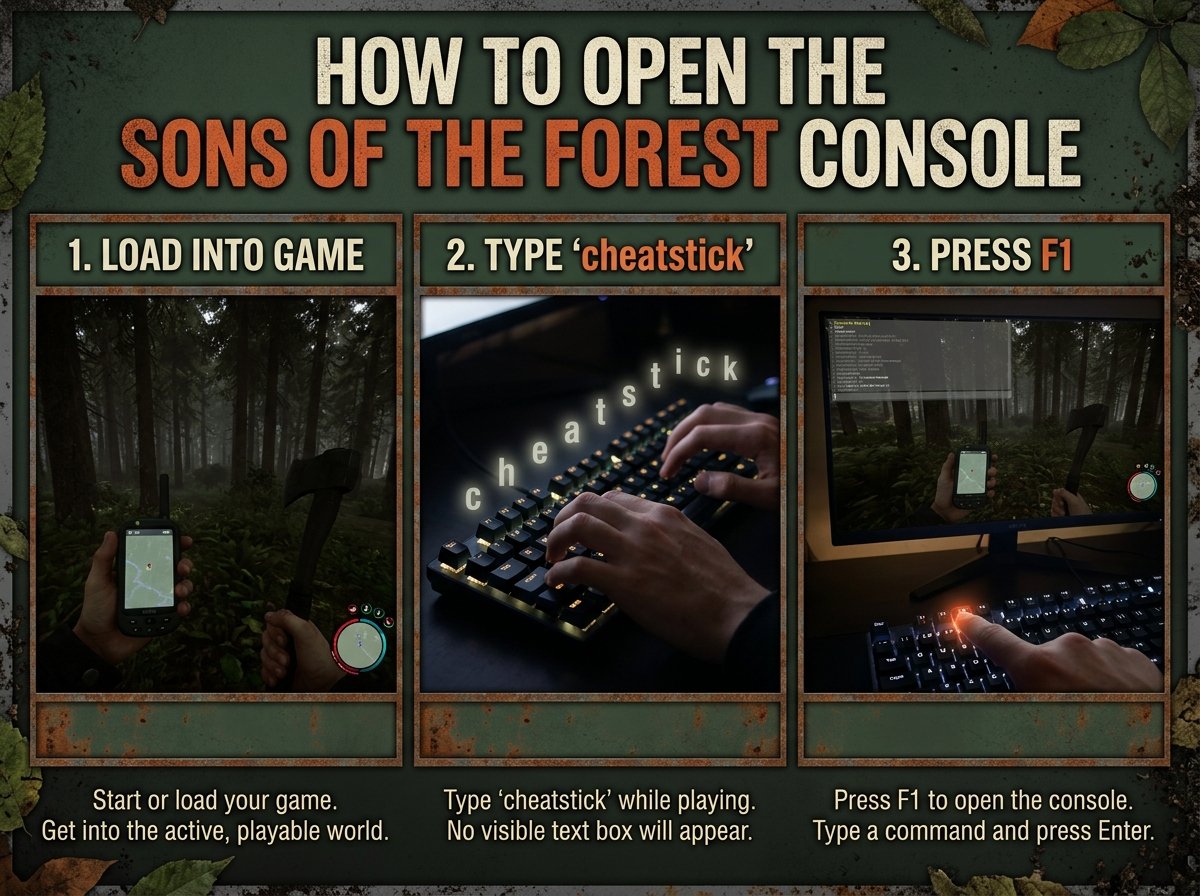
Opening the Sons of the Forest console is straightforward once you know the correct activation method. You do not usually need to install a separate console mod just to try the built-in commands.
Step One: Load Into Your Game
Start Sons of the Forest and load an existing save or begin a new game. Wait until your character has entered the playable world. The activation method is intended for use during gameplay rather than in an ordinary menu.
Step Two: Type Cheatstick
While the game is running, type cheatstick using your keyboard. You generally do not need to enter the word into a visible text box. Nothing obvious may happen while you type, which is normal.
Step Three: Press F1
After entering cheatstick, press F1 to open the console. If activation worked, a command interface should appear. You can then enter a supported command and press Enter to execute it.
Press F1 again when you want to close or reopen the console. The F2 key can display the game’s log or status overlay, which may help when investigating command errors.
Check Your Keyboard Layout
Some players have trouble activating the console because they use a keyboard layout other than English (United States). If typing cheatstick does not work, switch to the US keyboard layout in Windows and try again.
You can usually add another keyboard layout without removing your existing one. Also check whether your keyboard has an Fn or F Lock setting that changes how function keys behave.
Best Sons of the Forest Console Commands to Try
The most useful commands depend on what you want to accomplish. Some simplify survival, while others help with exploration or testing. Command availability and syntax can change, so try them in a separate save before relying on them in an important playthrough.
God Mode
The command godmode on enables god mode in supported versions. This cheat is useful when you want to explore dangerous areas without worrying as much about your character’s survival.
To turn the effect off, try godmode off. If the command does not work, check the console’s feedback and confirm that your game version supports the syntax.
Add All Items
The command addallitems can add a broad selection of available items to your inventory. It is useful for testing equipment, experimenting with crafting and avoiding repeated resource collection.
However, adding many items at once can make inventory management less convenient. It may also produce unexpected results if the game has changed its item system. Consider saving your progress before using it.
Add a Specific Item
The additem command is designed for adding an individual item when the required item name or identifier is supported. This can be more practical than filling your inventory with everything.
For example, you might use it to test equipment or obtain a resource needed for a building experiment. The exact syntax depends on the item and the command implementation, so check the console’s available suggestions or help information instead of guessing an item identifier.
Speedy Run
The command speedyrun on can increase running speed in supported versions. It is useful for travelling across the island or testing how quickly you can move between locations.
Use speedyrun off to disable the effect if that syntax is supported by your current build. Increased movement speed can make navigation less predictable, particularly around cliffs, enemies and uneven terrain.
Super Jump
The command superjump on enables enhanced jumping in supported versions. This can help you experiment with movement or reach places that would normally require a longer route.
Because the effect changes normal movement, take care near steep drops and other hazards. Try disabling it with superjump off when you want to return to ordinary gameplay.
Set the Time of Day
The settimeofday command can change the in-game time when used with a supported value. Depending on the version, examples may include morning, noon or night.
Changing the time can be helpful when testing visibility, exploring in daylight or examining how the environment looks at different hours. If a value is rejected, check the available command suggestions rather than assuming every time format is accepted.
Add a Companion
Some versions support commands that can add or summon characters. For example, addcharacter robby has been used to summon Kelvin, whose internal character name is Robby.
Character-related commands can be less predictable than basic player cheats. The result may depend on existing companions, the current save and the command’s implementation. Back up your save before experimenting with character spawning.
How to Use Console Commands Correctly
Once the console is open, enter a command exactly as required and press Enter. Some commands accept additional values, while others work on their own. Commands that switch an effect on or off may require a value such as on or off.
Do not assume that every command from The Forest, the original game, will work in Sons of the Forest. Although the games share a setting and some familiar features, their console systems and command behaviour are not identical.
If a command fails, check its spelling, required arguments and the current game version. The console log can also provide useful information. Press F2 to inspect the available status or log overlay when appropriate.
Avoid copying long command lists without checking what each command does. Some options are intended for debugging or development rather than ordinary gameplay. Commands that alter world objects or character behaviour can have unexpected consequences.
Why Is the Sons of the Forest Console Not Working?
If the console does not open, start with the activation steps rather than assuming the game has removed the feature.
First, make sure you are inside a loaded game. Type cheatstick directly, then press F1. Remember that the activation word may not appear on screen.
Next, check your keyboard layout. A non-US layout can interfere with the activation method, so switching to English (United States) may resolve the problem. If F1 does not respond, check your function-key settings and whether your keyboard requires the Fn key.
If the console opens but a command fails, the issue may be the command itself. It could require an extra argument, use a different syntax or no longer work in your current build. Use the console’s available feedback and suggestions to identify the correct format.
Finally, consider whether you are playing in multiplayer. A host or server configuration may restrict cheats or affect which commands are available. A command that works in a private single-player session should not automatically be expected to work on every multiplayer server.
Is Using the Console Safe?
Console commands can make Sons of the Forest more convenient, but they can also change the intended survival experience. God mode and item spawning remove some of the challenge, while movement and world commands may create unusual situations.
The main precaution is to protect your saved progress. Create a backup or use a separate save before testing unfamiliar commands. This is particularly important when experimenting with commands that affect characters, world objects or game state.
Also, do not assume that every command is harmless simply because it appears in an online guide. Some commands are designed for debugging and may behave unpredictably. Test unfamiliar options in a disposable save before using them in a long-running campaign.
If you play with other people, consider their preferences before activating cheats. Commands that change gameplay can affect the shared experience, and server rules may prohibit them.
Can You Play Sons of the Forest on PlayStation or Xbox?
The phrase “Sons of the Forest console” can also refer to a possible PlayStation or Xbox release. That is a different question from opening the PC game’s debug console.
Sons of the Forest launched on PC, and a confirmed console release should not be assumed without an official announcement. Interest in a PlayStation or Xbox version does not establish that a port is available or that a release date has been set.
If you want to play with a controller, remember that using a controller on a PC is not the same as playing a native console edition. Likewise, PC debug commands are not automatically available on PlayStation or Xbox.
Players interested in a console port should check official game announcements for the latest confirmed platform information. Avoid relying on unverified release dates or claims that a console version is already available.
Conclusion
The Sons of the Forest console gives PC players a way to experiment with cheats, change certain gameplay conditions and test items or character behaviour. To get started, load into the game, type cheatstick and press F1. From there, enter a supported command and press Enter.
Commands such as godmode on, addallitems and speedyrun on can be useful, but availability and behaviour may vary by version. If the console fails to open, check your keyboard layout and function-key settings. If a command fails, verify its syntax and requirements.
Most importantly, back up your save before testing unfamiliar commands. With a little care, the debug console can make exploration and experimentation easier without putting your main progress at unnecessary risk.
FAQs
How do you open the Sons of the Forest console?
Load into a game, type cheatstick directly using your keyboard and press F1. The activation word may not appear on screen. If the console does not open, check your keyboard layout and function-key settings.
What is the god mode command in Sons of the Forest?
The command godmode on enables god mode in supported versions. You can try godmode off to disable it. Command behaviour may vary by build, so test it in a separate save first.
Can you spawn items using the Sons of the Forest console?
Yes, supported commands can add items to your inventory. addallitems adds a broad selection, while additem is intended for individual items. The required syntax and available items can vary by game version.
Why is cheatstick not working in Sons of the Forest?
The activation method may fail if you are not inside a loaded game, use an incompatible keyboard layout or have a function-key setting interfering with F1. Switch to the US keyboard layout, type cheatstick again and press F1.
Does Sons of the Forest have console commands on PS5 or Xbox?
The debug-console instructions in this guide are for the PC game. Do not assume that PC commands work on PlayStation or Xbox, or that a console edition is available without official confirmation.
Can console commands damage your Sons of the Forest save?
Some commands can produce unexpected changes, especially those involving characters, world objects or debugging functions. Back up your save and test unfamiliar commands in a separate game before using them in your main playthrough.
For more updates visit: RANKIVO