


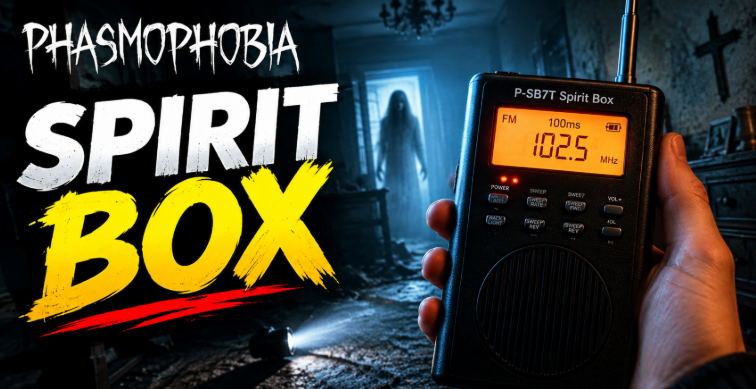

The Spirit Box in Phasmophobia helps investigators communicate with ghosts and collect evidence during a contract. However, getting a response is not always as simple as switching it on and asking a question. You need to use the correct equipment, investigate suitable locations, understand how ghost responses work, and check your settings if nothing happens. Learning how the Spirit Box works can make identifying a ghost much easier, especially when the investigation becomes dangerous.
This guide explains how to use the Spirit Box in Phasmophobia, which questions to ask, why ghosts sometimes remain silent, and how to avoid common mistakes. Whether you are a new investigator or an experienced player, these practical tips can help you use the equipment more effectively.
What Is the Spirit Box in Phasmophobia?
The Spirit Box is an investigation tool that allows players to receive spoken responses from certain ghosts. It is one of the possible evidence types in Phasmophobia, alongside evidence such as Ghost Orbs, fingerprints, and freezing temperatures.
When a ghost responds, the device produces a voice response or other audible feedback, depending on the game’s current mechanics and settings. A valid response can help narrow down the possible ghost types listed in your journal.
However, not every ghost provides Spirit Box evidence. Some ghosts cannot produce this evidence at all, so silence alone does not always mean you are using the equipment incorrectly. You must combine your findings with other evidence and the objectives of your contract.
How to Use the Spirit Box
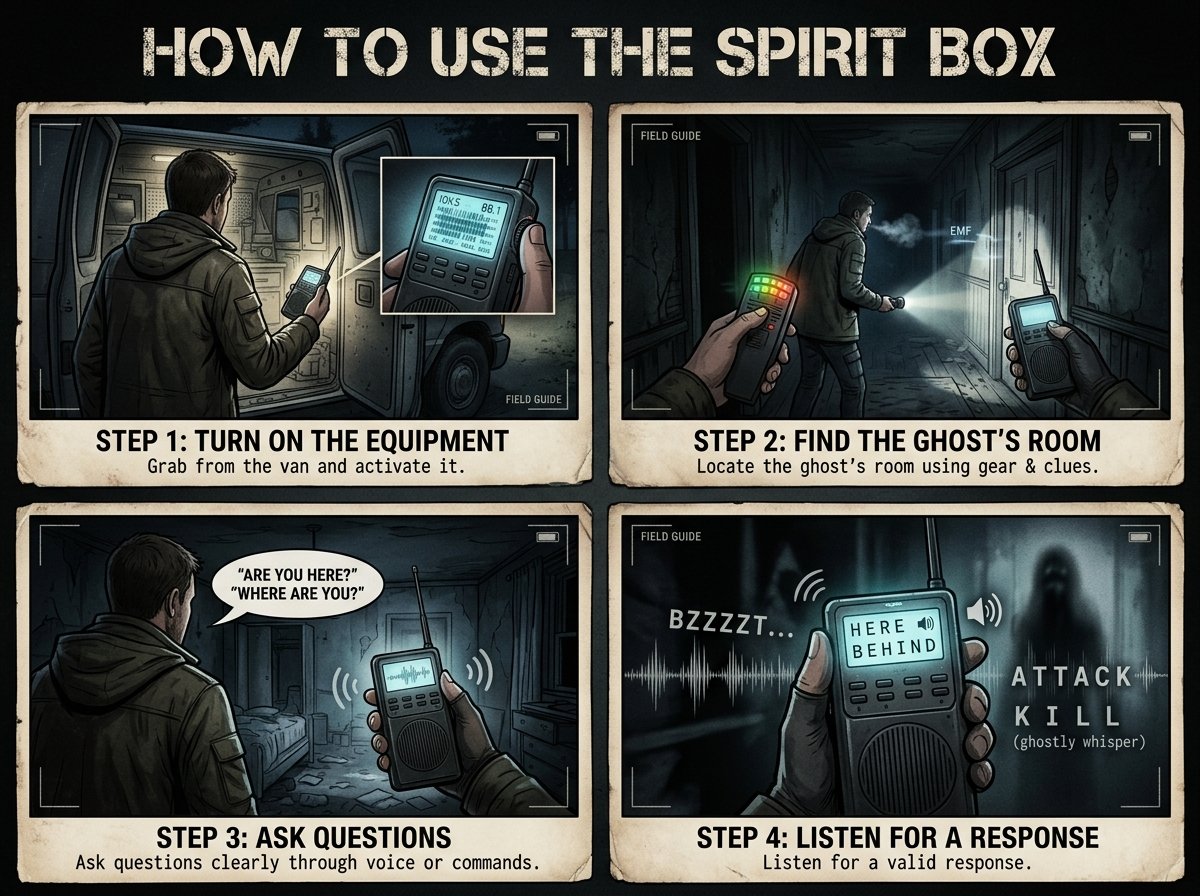
Turn On the Equipment
First, take the Spirit Box from the investigation van and enter the haunted location. Activate the device using the appropriate control for your platform and settings. The exact input can differ between PC and console configurations, so check your controls if you are unsure.
Once the equipment is active, listen carefully for its audio feedback. Make sure you are using the device itself rather than assuming that carrying it automatically allows communication.
Find the Ghost’s Room
The Spirit Box is generally most useful when you investigate the ghost’s current location. Use other equipment and environmental clues to locate the room, such as unusual activity, interactions, or other evidence.
After finding a likely area, move into the room and try communicating there. If the ghost has moved, the room you originally identified may no longer be the best place to use the device. Recheck the surroundings if you receive no response.
Ask Questions or Use Voice Commands
Phasmophobia supports different communication options depending on your selected voice recognition settings. You may be able to ask questions through your microphone or use the game’s available text-based interaction options.
Ask a question clearly, then allow a moment for a response. Avoid rapidly repeating questions because doing so can make it harder to recognise audio feedback. If your setup uses voice recognition, check that the correct microphone and input mode are selected.
Listen for a Valid Response
Pay attention to the Spirit Box’s response indicators and any audible words. A clear ghost response can count as evidence when the ghost type supports it and the game’s requirements are satisfied.
Do not confuse ordinary environmental sounds with a confirmed response. If you are unsure, try again under suitable conditions and cross-check the result with other equipment.
Best Spirit Box Questions in Phasmophobia
Questions to Ask the Ghost
The best questions are short, clear, and easy for the game to recognise. Examples include “Where are you?”, “Are you here?”, “How old are you?”, and “Are you friendly?”
Other familiar questions include “What do you want?”, “Are you close?”, and “Can you give us a sign?” The exact wording recognised by the game can depend on its voice recognition system and version. Therefore, do not assume that every possible sentence will trigger a response.
You do not need to deliver a long speech. Ask one question, pause, and listen. This approach helps you distinguish a genuine response from background noise and makes it easier to troubleshoot problems.
Does the Exact Question Matter?
The Spirit Box does not require you to discover a secret phrase for each ghost. What matters is using a supported question or interaction method while meeting the device’s conditions.
If a question fails, try another familiar phrase and verify your microphone or text input. Also confirm that you have activated the equipment correctly. Repeating the same unsupported phrase will not necessarily improve your chances of receiving a response.
Spirit Box Requirements and Settings
Check the Room Conditions
The Spirit Box’s behaviour can depend on the current game rules, equipment tier, and ghost behaviour. Some settings and mechanics may change between updates, so avoid relying on an old guide for every detail.
Investigate near the ghost’s location and check the requirements displayed by your current equipment or journal. If the device specifies particular conditions, make sure you meet them before ruling out Spirit Box evidence.
Lights, Distance, and Player Position
Many players associate Spirit Box use with turning off the lights. Whether a particular lighting condition is required depends on the game’s mechanics and the equipment’s current rules. Check the current in-game instructions rather than assuming every tier or difficulty works identically.
Distance also matters when using equipment that requires proximity to the ghost. If you cannot get a response, try moving around the suspected ghost room and testing nearby areas while keeping your investigation safe.
Equipment Tiers
Phasmophobia features equipment progression, and equipment tiers can affect how a tool behaves. Do not assume that every Spirit Box tier has identical range, feedback, or other characteristics.
Read the equipment description available in your game. This is especially important after updates, when developers may adjust equipment behaviour or introduce new mechanics. A strategy that worked with an older version may not apply perfectly to the current one.
Why Is the Spirit Box Not Working?
The Ghost Does Not Give Spirit Box Evidence
The first possibility is that the ghost type you are investigating does not provide Spirit Box evidence. Ghosts have different evidence combinations, so a silent device can be a useful clue when you have already collected other evidence.
Check the evidence list in your journal and compare it with your findings. Do not keep treating a non-responsive Spirit Box as proof that the game is broken.
You Are in the Wrong Location
You may be using the device outside the ghost’s current area. Return to the suspected room and look for recent interactions or activity. If evidence suggests the ghost has moved, investigate the new location.
It can also help to search nearby rooms systematically instead of repeatedly testing the same spot. This approach saves time and helps you avoid overlooking another area where the ghost is active.
Your Microphone or Voice Recognition Is Incorrect
If you use voice input, check that your operating system and game recognise the correct microphone. Make sure the device is not muted and that the selected input works in other applications.
Next, review Phasmophobia’s audio and voice recognition settings. If the game offers different voice input modes, ensure the selected mode matches how you are trying to communicate. Restarting the game or reconnecting the microphone may help if the input has stopped working.
You Are Misreading the Feedback
A Spirit Box can produce sounds that are easy to mistake for a clear answer, especially in a noisy investigation. Lower unnecessary background noise, pause after asking a question, and listen for the game’s actual response.
If the evidence remains uncertain, repeat the test in a suitable location. Combine the result with other observations rather than making a final ghost identification based on an unclear sound.
Spirit Box Tips for Safer Investigations
Use the Device as Part of a Plan
Take the Spirit Box into the suspected ghost room when you have a reasonable idea of where to investigate. Pair your search with other evidence-gathering tools instead of spending the entire contract asking questions.
Keep track of confirmed evidence in your journal. If the Spirit Box produces a valid response, use that information to eliminate incompatible ghost types and decide which equipment to test next.
Stay Aware of Ghost Activity
Communicating with a ghost does not remove the risks of an investigation. Keep track of your surroundings, know where the nearest hiding options are, and pay attention to signs of dangerous activity.
Avoid letting equipment testing distract you from the hunt. If the situation becomes unsafe, prioritise survival over collecting one more piece of evidence. You can resume the investigation when it is safe to do so.
Verify Evidence Before Choosing a Ghost
A single failed Spirit Box test does not automatically eliminate every ghost that can provide this evidence. The ghost may not be in range, the room may be wrong, or your settings may be preventing communication.
Likewise, do not confirm a ghost type from an uncertain sound. Use multiple clues, review the available evidence combinations, and select your final answer based on the strongest evidence you have collected.
Conclusion
The Spirit Box in Phasmophobia is a valuable tool for identifying ghosts, but successful communication depends on more than switching it on. You need to investigate the right location, use supported questions, understand the equipment’s requirements, and recognise genuine responses.
If the device remains silent, check your microphone settings, test another suitable area, and confirm whether the ghost can provide Spirit Box evidence. Most importantly, combine your findings with other evidence before making your final identification. With careful testing and a clear investigation plan, you can use the Spirit Box more confidently and make better decisions during every contract.
FAQs
How do you use the Spirit Box in Phasmophobia?
Take the Spirit Box from the van, activate it, and use it near the suspected ghost location. Ask a supported question or use the available text interaction option. Listen carefully for a response and confirm that your equipment settings meet the game’s requirements.
What questions should you ask the Spirit Box in Phasmophobia?
Try short questions such as “Where are you?”, “Are you here?”, “How old are you?”, and “Are you close?” Use the communication method supported by your settings. If the ghost does not respond, check the location and equipment conditions before trying again.
Why is my Spirit Box not getting a response?
The ghost might not provide Spirit Box evidence, you may be outside the relevant area, or your microphone settings might be incorrect. Check your selected voice input mode, test the suspected ghost room, and review your journal’s evidence options.
Do you need to turn off the lights for the Spirit Box?
Lighting requirements can depend on the game’s current mechanics and equipment rules. Check the instructions for your Spirit Box tier and current version rather than relying on assumptions from older guides. Make sure you also meet any other conditions shown in the game.
Can every ghost respond to the Spirit Box in Phasmophobia?
No. Spirit Box is evidence for certain ghost types, not all of them. A lack of response can help guide your investigation, but it is not conclusive by itself. Consider the ghost’s possible evidence combinations and verify other clues before eliminating options.
Does the Spirit Box work without a microphone?
Phasmophobia offers communication options that can vary with the selected voice recognition settings and platform. If you cannot use a microphone, check whether your current version provides a text-based interaction option and configure it in the game’s settings. Make sure the selected mode matches your input method.
For more updates visit: RANKIVO