


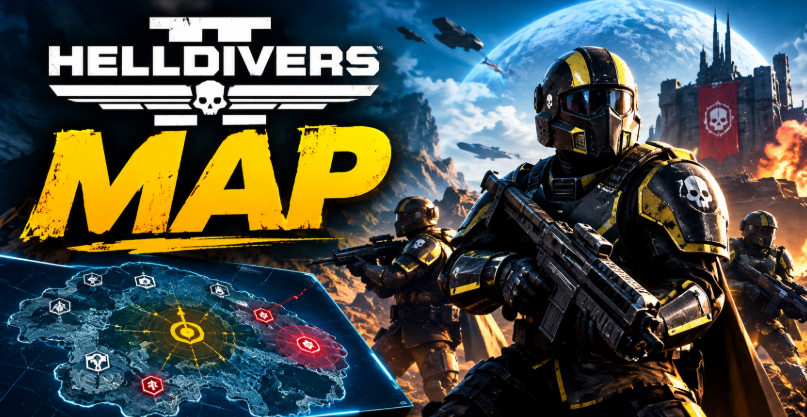

The Helldivers 2 map helps players explore the galaxy, select planets, join active operations and contribute to the ongoing Galactic War. However, understanding the map involves more than finding a planet and launching a mission. You also need to understand liberation progress, enemy-controlled regions, available operations and the routes connecting different worlds. These details help you choose suitable missions and make better decisions with your squad.
There are two important map experiences to understand. The Galactic Map lets you choose where to fight across the galaxy, while the map inside a mission helps you navigate the battlefield and locate objectives. Both serve different purposes, and learning how they work can make your deployments more efficient.
Whether you are a new recruit or a returning Helldiver, this guide explains how to use the Helldivers 2 map, select planets, understand the war situation and navigate missions more effectively.
What Is the Helldivers 2 Galactic Map?
The Galactic Map is the strategic overview of the war against the enemies of Super Earth. You can access it aboard your Super Destroyer, where you and your squad select a planet and choose an available operation.
The galaxy contains different sectors, planets and active fronts. Depending on the current war situation, you may encounter the Terminids, Automatons or Illuminate. Each faction presents different threats, so your choice of destination can influence your weapons, stratagems and overall approach.
The map also communicates the wider state of the conflict. Planetary liberation, defensive campaigns and Major Orders can influence where players should deploy. Since the Galactic War develops as the community plays, available targets and strategic priorities can change over time.
For this reason, the Helldivers 2 map should be treated as a changing strategic tool rather than a permanent list of destinations. Always check the current in-game information before choosing your next operation.
How to Open and Use the Helldivers 2 Map

To access the Galactic Map, board your Super Destroyer and approach the War Table. From there, you can inspect the available regions, select a planet and review its mission options.
Start by checking which fronts are active. Next, look for a planet that supports your preferred objective or the current Major Order. Once you select an available world, review its operations and choose a difficulty suitable for your squad.
The exact interface can vary with updates, but the basic process remains straightforward. Select your destination, examine the available missions, prepare your equipment and launch your deployment.
If a planet is unavailable, do not assume that the game is broken. Its status, campaign conditions or connections to other worlds may prevent access. Check the information displayed on the Galactic Map and select another available target if necessary.
Understanding Planets, Sectors and Enemy Fronts
Planets and Sectors
A planet is an individual destination where you can undertake missions. Sectors group planets together and help organise the larger Galactic War.
The availability of these destinations depends on the evolving campaign. Some planets may be open for liberation, while others may be under attack or inaccessible because of the current strategic situation.
Completing missions on an active planet contributes to the wider conflict. When a planet reaches its liberation objective, control can change, affecting the available targets and the direction of the war.
The Three Main Enemy Factions
The Terminids are hostile alien creatures that often create intense close-range encounters. Their presence can make crowd control, area damage and reliable ammunition management particularly useful.
The Automatons are mechanical enemies that can challenge squads with ranged attacks and armoured units. Against them, consider equipment that provides effective ranged damage, armour penetration and protection from sustained fire.
The Illuminate introduce another distinct set of threats and mission challenges. Their presence can require different tactical decisions, depending on the enemies and objectives encountered.
Enemy types, mission conditions and available equipment should influence your preparation. Before deploying, review the selected planet and adapt your loadout to the challenges you expect to face.
What Does Planet Liberation Mean?
Planet liberation represents the community’s progress towards taking control of an enemy-held world. When players complete operations on an active target, their contributions help advance the campaign.
The liberation percentage gives you an indication of how far the community has progressed. A planet nearing its liberation goal may appear to be an attractive destination, but the percentage alone does not tell the whole story.
Campaign conditions, enemy resistance and the current strategic objective also matter. A planet with less visible progress may be important because it supports a Major Order or provides access to another part of the front.
Successful mission completion is important, but your contribution depends on the wider campaign mechanics. Avoid assuming that every individual mission produces the same amount of progress in every situation.
If your goal is to help the community win the war, check the current objective before choosing a destination. Coordinated efforts can be more useful than spreading players across unrelated planets.
How Supply Lines Affect the Galactic Map
Supply lines represent connections between planets that influence which targets can be reached during the Galactic War. They help explain why a planet that looks nearby may not be available for an attack.
A world can depend on the control of connected planets or the progress of an ongoing campaign. When the strategic situation changes, certain routes may open or become unavailable.
Understanding these connections is useful when deciding where to deploy. If your preferred destination is locked, inspect the accessible planets and available routes instead of repeatedly trying to select it.
Supply lines can also help you think beyond individual battles. Capturing or defending a strategically important planet may affect access to other destinations, making it relevant to the wider war effort.
However, do not treat every route as a guaranteed path to victory. The effects depend on the current game state and campaign rules. Use the information shown in the game to determine which planets are actually accessible.
What Are Major Orders and Defense Campaigns?
Major Orders are broader objectives that direct the community towards specific goals. They may focus attention on particular planets, enemy fronts or campaign activities. Completing the required objectives can contribute to the overall order and its associated rewards.
Before launching a mission, check whether an active Major Order aligns with your intended destination. This can help you choose an operation that supports the community’s current priorities.
Defense campaigns are another important part of the Galactic Map. They occur when a controlled planet faces an enemy attack and players must respond within the conditions of the campaign.
A defense objective may be more urgent than a standard liberation target because the game can impose a deadline. Check the remaining time and the displayed campaign progress before deciding whether to join.
You do not need to follow every order blindly. Consider your squad’s experience, available time and ability to complete the relevant missions. A successful, coordinated deployment is generally more useful than repeatedly attempting content that is beyond your current capabilities.
How the Mission Map Works
The Galactic Map helps you choose a destination, but the mission map serves a different purpose. Once you land, the local map helps you understand the immediate battlefield and locate objectives.
Depending on the mission, it can help you identify the main objective, secondary activities, points of interest and extraction area. These locations matter because completing the primary task is not always the only useful thing you can accomplish during a deployment.
Explore carefully when conditions allow. Points of interest can provide samples, supplies and other useful resources, although the available rewards depend on the location and activity.
Pay attention to your squad’s position as well. Moving too far apart can make it harder to support teammates, respond to enemy reinforcements or reach extraction safely.
The mission map should support your decisions rather than replace situational awareness. Check it regularly, but remain alert to nearby enemies, environmental hazards and changing objectives.
Tips for Choosing the Best Helldivers 2 Map Location
The best planet depends on what you want to achieve. If you want to support the community, prioritise an active Major Order or a relevant defense campaign. If you prefer a particular enemy faction, choose an accessible planet where that faction is present.
Difficulty is equally important. Higher difficulties can offer more demanding encounters and additional rewards, but they also require better coordination and preparation. Choose an operation that your squad can complete consistently instead of selecting the hardest available mission simply for its challenge.
Planet conditions should influence your loadout. Consider visibility, terrain, environmental hazards and the types of enemies you are likely to encounter. Equipment that performs well on one world may be less effective on another.
Finally, communicate with your squad before deployment. Agree on the objective, assign useful combat roles and make sure everyone understands the extraction plan. A clear strategy can help turn a difficult operation into a manageable one.
Where to Find a Live Helldivers 2 Map
If you want to monitor the wider Galactic War outside the game, community-made live map trackers can provide a convenient overview of active planets, liberation progress, player activity and connected routes.
These tools can be particularly useful when you want to see how the community is responding to a Major Order or determine which planets currently attract the most players.
However, third-party trackers are not official game interfaces. Their accuracy depends on the data they receive and how frequently they update. A delayed tracker may show information that no longer matches the in-game situation.
For the most reliable deployment decision, compare any external map with the Galactic Map inside your game. The in-game information should take priority when a planet’s availability, campaign status or mission options have changed.
Conclusion
The Helldivers 2 map is essential for understanding both the immediate battlefield and the wider Galactic War. The Galactic Map helps you select planets, follow liberation campaigns and identify useful deployments, while the mission map guides you through objectives, resources and extraction.
To get more from every operation, check active Major Orders, understand supply lines, prepare for the enemy faction and choose a difficulty your squad can handle. If you use an external live tracker, verify important details in the game before deploying.
With a better understanding of the map, you can make more informed decisions, coordinate more effectively and contribute to the ongoing fight for Super Earth.
FAQs
What is the Helldivers 2 map used for?
The Helldivers 2 map helps players select planets, review active operations and follow the Galactic War. The Galactic Map supports strategic decisions, while the mission map helps you navigate objectives and points of interest during a deployment.
How do I open the Galactic Map in Helldivers 2?
Board your Super Destroyer and approach the War Table to access the Galactic Map. From there, inspect available planets, choose a suitable destination and select an operation before launching your mission.
Why is a planet locked on the Helldivers 2 map?
A planet may be unavailable because of the current campaign state, strategic connections or other game conditions. Check its status and the routes displayed on the map, then choose an accessible destination if necessary.
What do liberation percentages mean in Helldivers 2?
Liberation percentages indicate community progress towards taking control of a planet. Players contribute through their operations, although the amount of progress can depend on the game’s current campaign mechanics.
Is there a live Helldivers 2 Galactic Map online?
Yes, community-made trackers display information such as active planets, liberation progress and player activity. These are unofficial tools, so their data may occasionally differ from the current in-game Galactic Map.
How do I choose the best planet in Helldivers 2?
Choose a planet that matches your goal, squad experience and available time. Check active Major Orders, defense campaigns, enemy factions and mission conditions before selecting an operation. Always confirm that the destination is accessible in-game.
For more updates visit: RANKIVO